Local Support with Excel Spreadsheets: The Power of Excel
A spreadsheet is little more than columns and rows, comprised of lists and lists. The real power in Excel spreadsheets is when you use Formulas and/or Functions.
Formulas and Functions aren’t the same
Contact us using the form below or give us a call if you want some help making sense of the difference.
Formulas
- Formulas are essentially calculations you build using cell references and mathematical operators.
- Basically mathematical equations.
- e.g. The value of one cell added to another cell (or cells). =C5+C6+C7
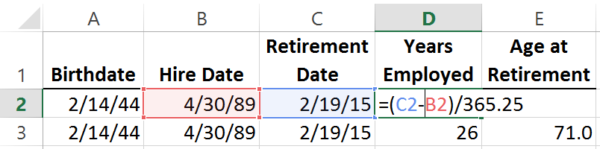
- e.g. The value of one cell added to another cell (or cells). =C5+C6+C7
Functions
- Functions are Excel spreadsheets built-in calculations that Excel understands
- e.g. Sum the entire range of the row =SUM(C5:C7)
⇒ IF, IFS, IFERROR, ⇒ SUM, SUMIF, SUMIFS,
⇒ COUNT, COUNTIF, COUNTIFS
⇒ VLOOKUP ⇒ INT, ROUND ⇒ LEFT, RIGHT
Of the over 450 Functions (available in Excel 2016), all Functions start with an equal sign ( = ), followed by the name of the function, and then in parenthesis, Arguments which cells are used to calculate the Function.
Which Functions do you use or need help with? 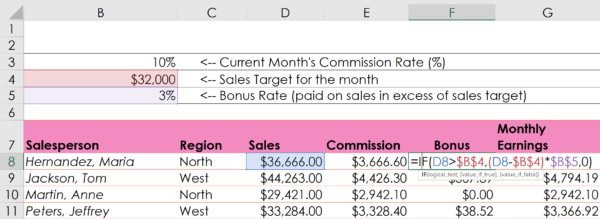

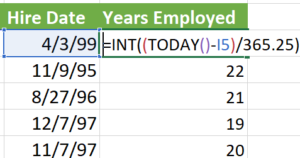

Contact us below and ask about personalized training in Excel. We also have a few posts about using Excel, including posts on absolute vs relative references, using proper Order of Operations, and grouping dates in PivotTables.